This guide is designed to enable you undertake online hostel booking.
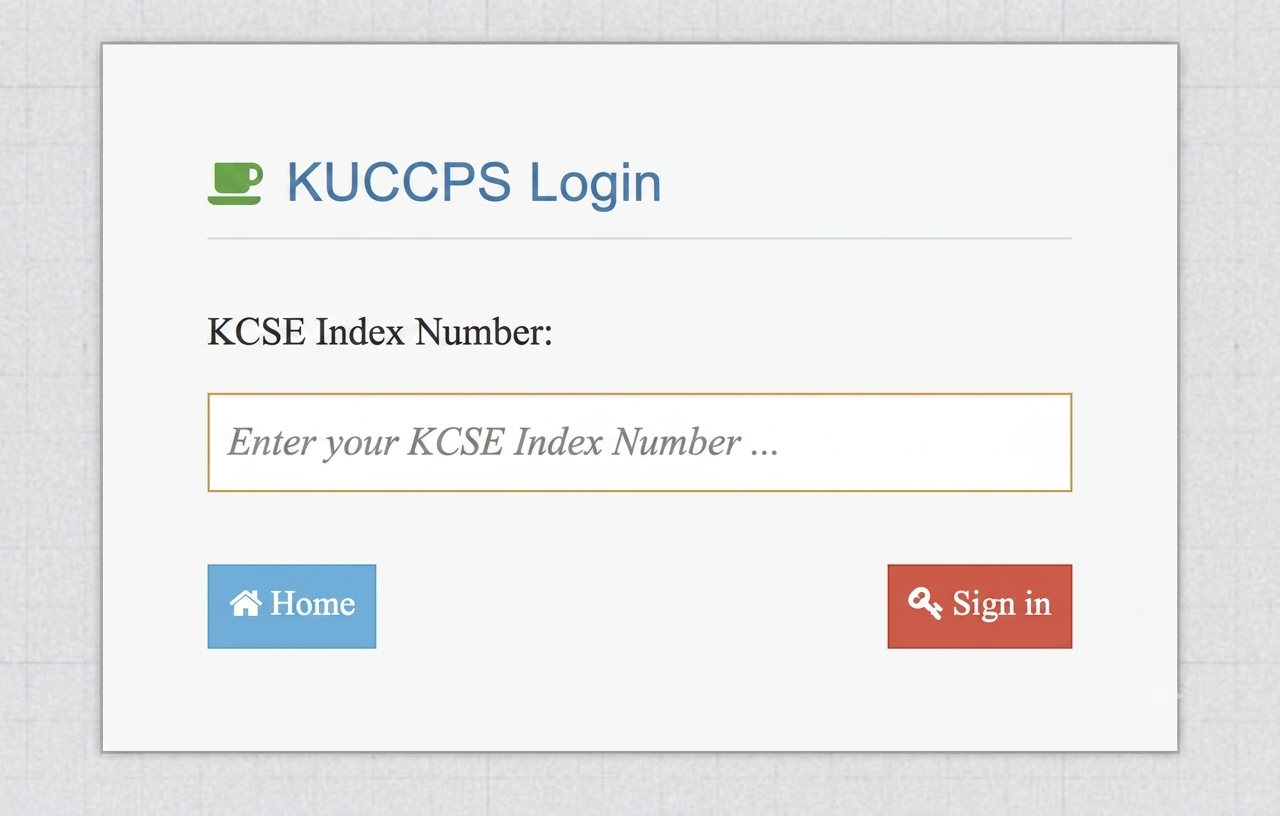
Access the admissions portal by using the link on the website or via https://admissions.karu.ac.ke. You
will be directed to the page below and login using your KCSE Index number Eg.1234567890/2025 and click the sign in button.

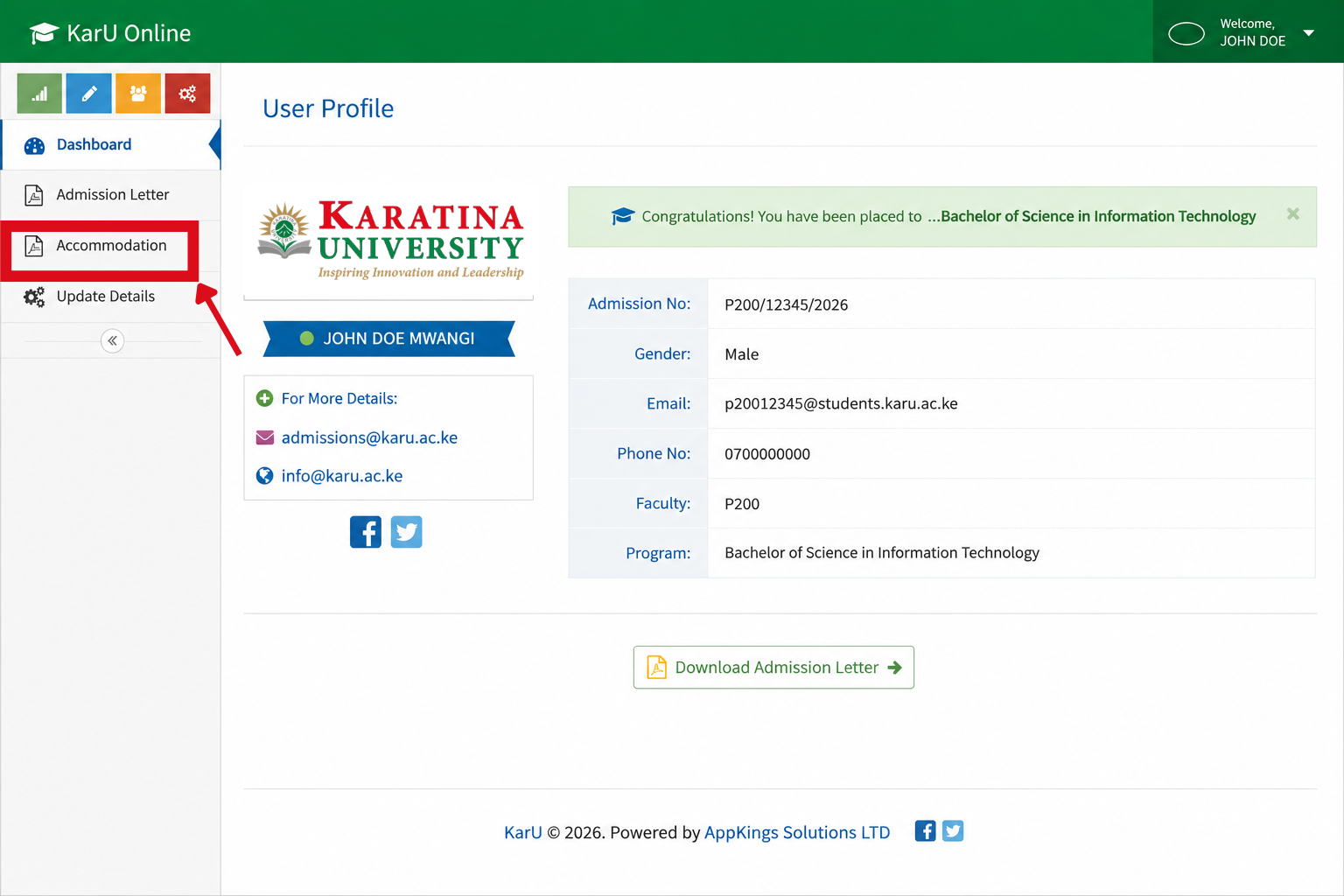
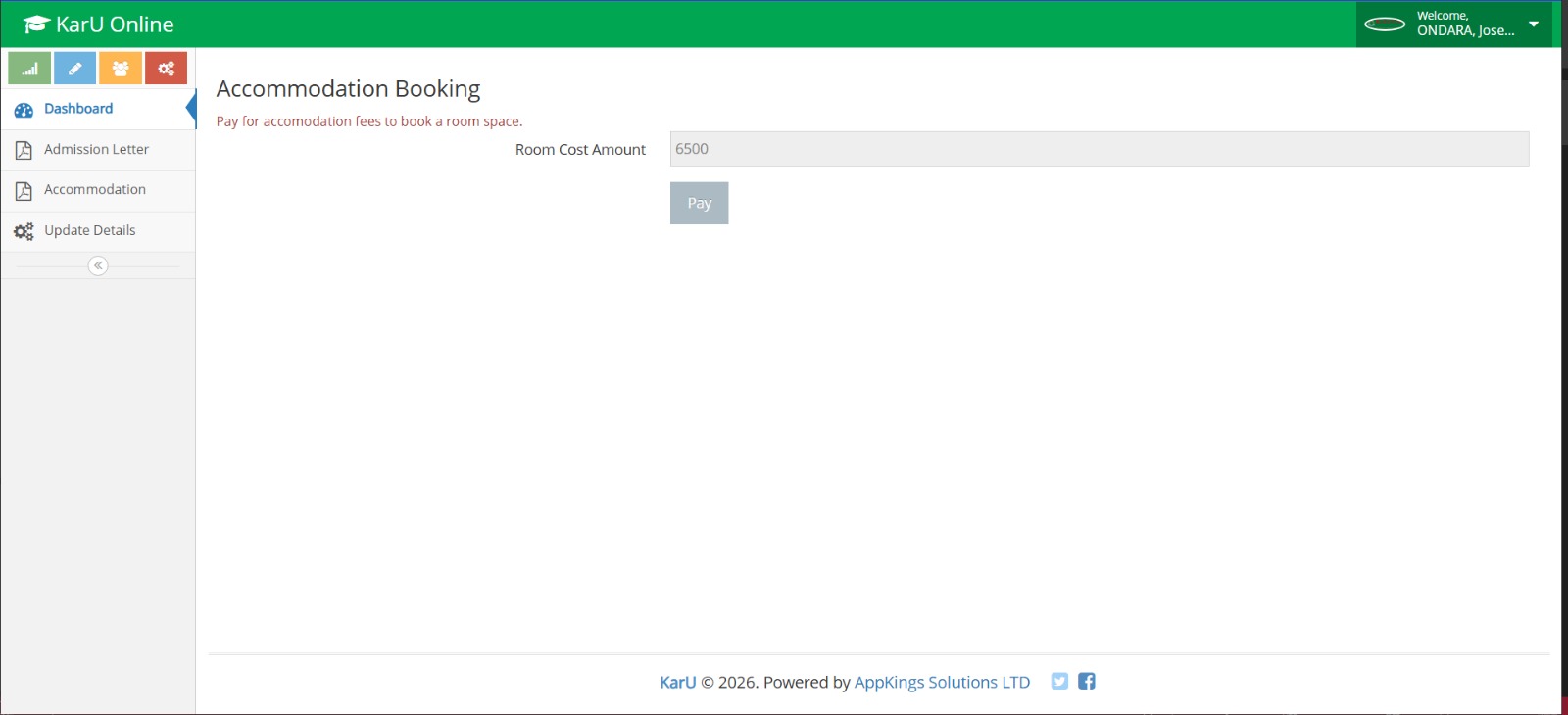
Note that accommodation tab will only appear to students who have successfully upload their documents. If you have NOT yet uploaded the documents, you are required to upload them first using the steps found on this link : https://karu.ac.ke/admission-letters-portal/


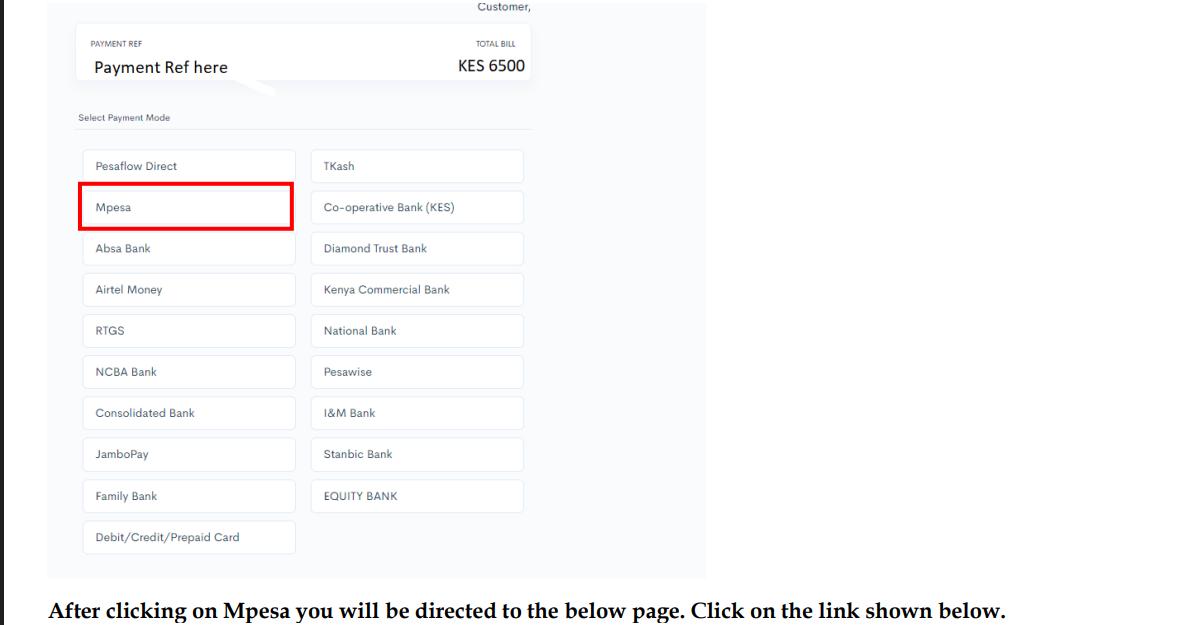
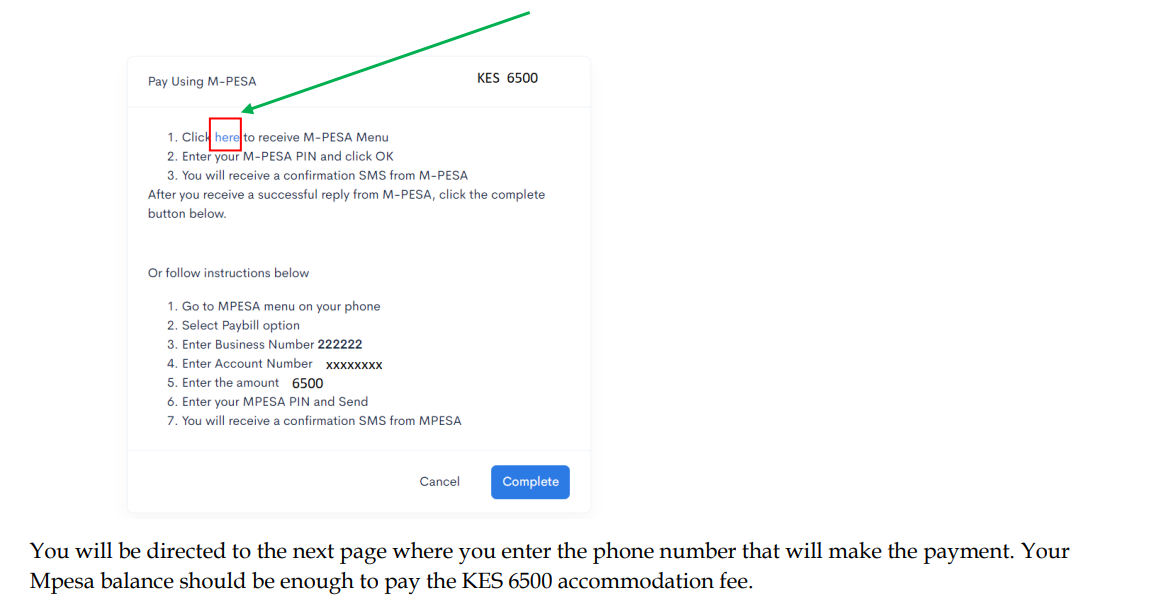
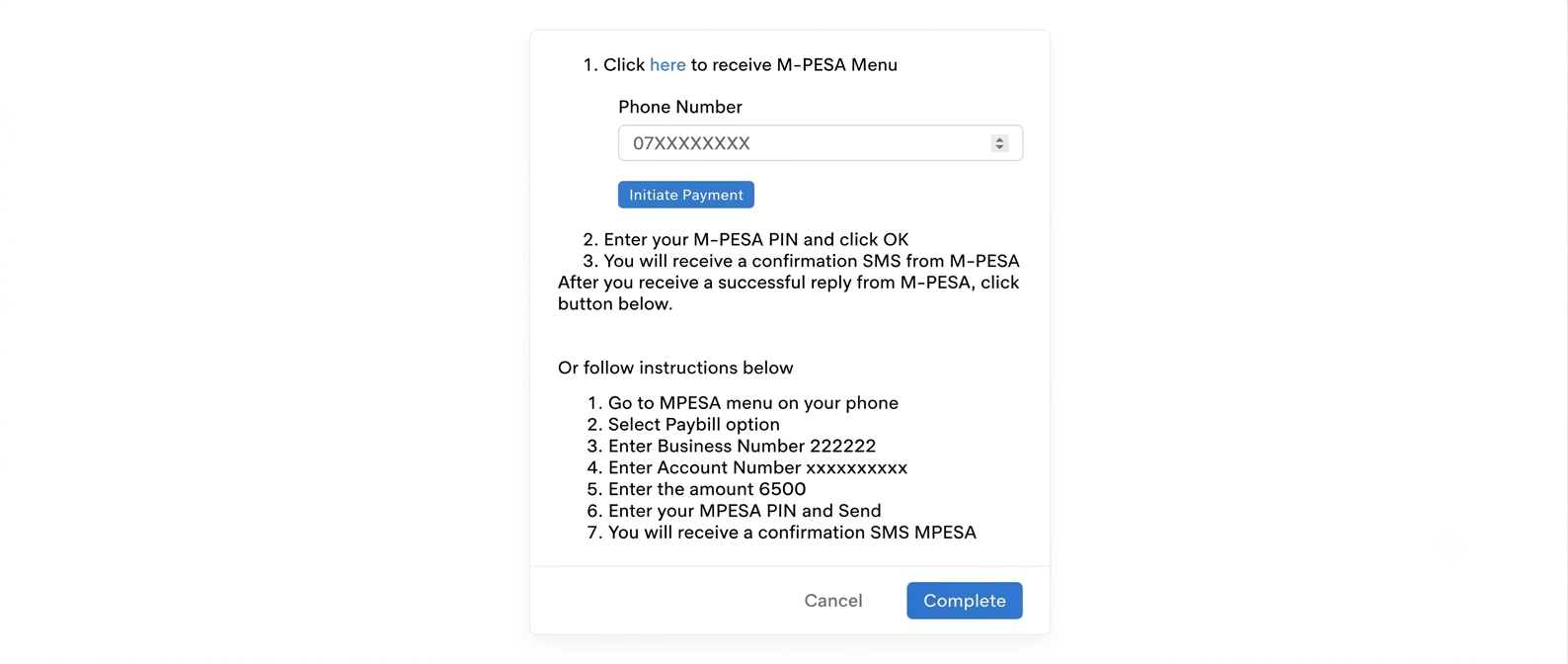
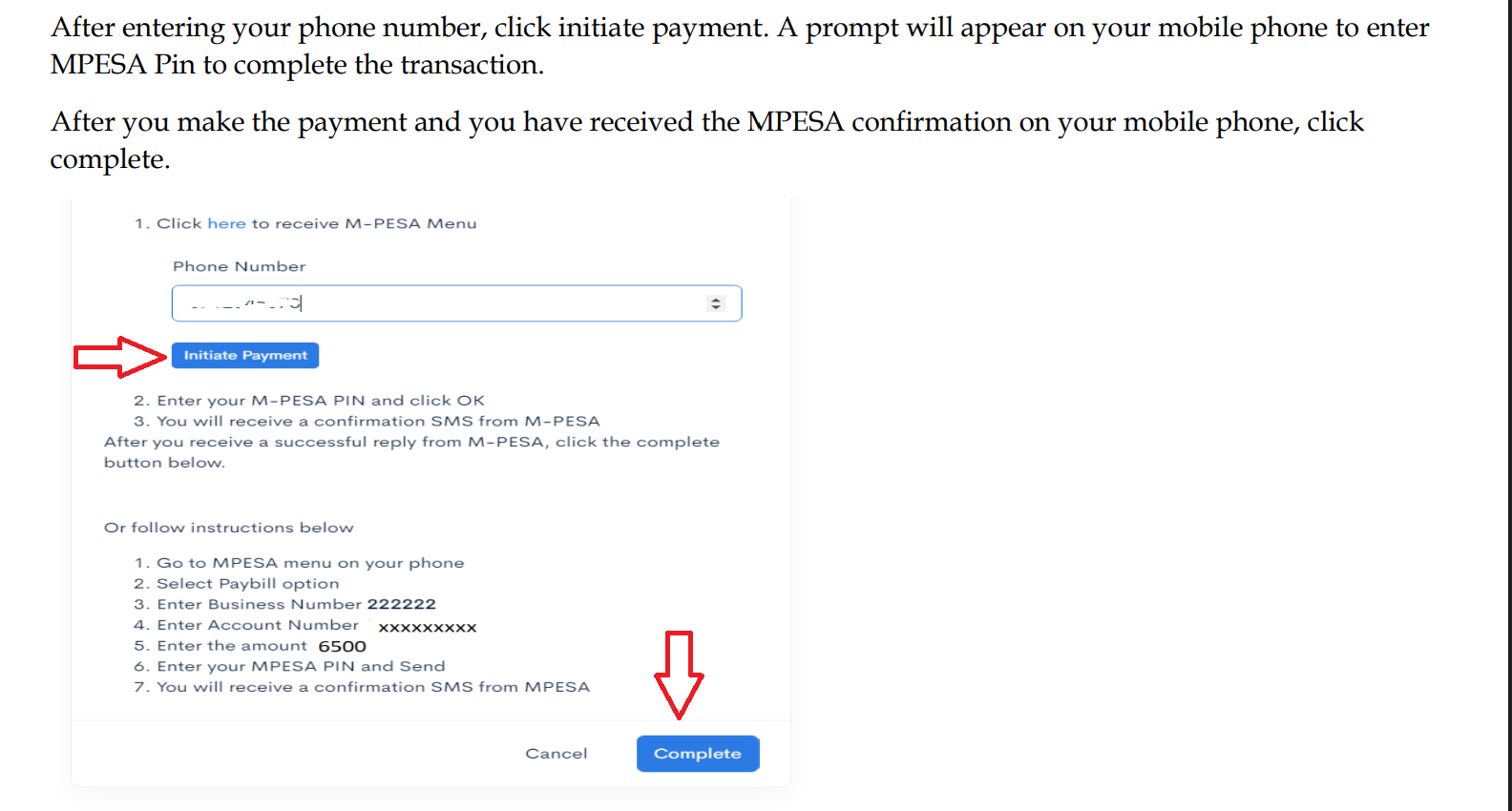
You will be directed to the E-citizen Payment Window Below. Kindly choose M-PESA option. Ensure you have 6500 in your M-PESA then proceed to payment.


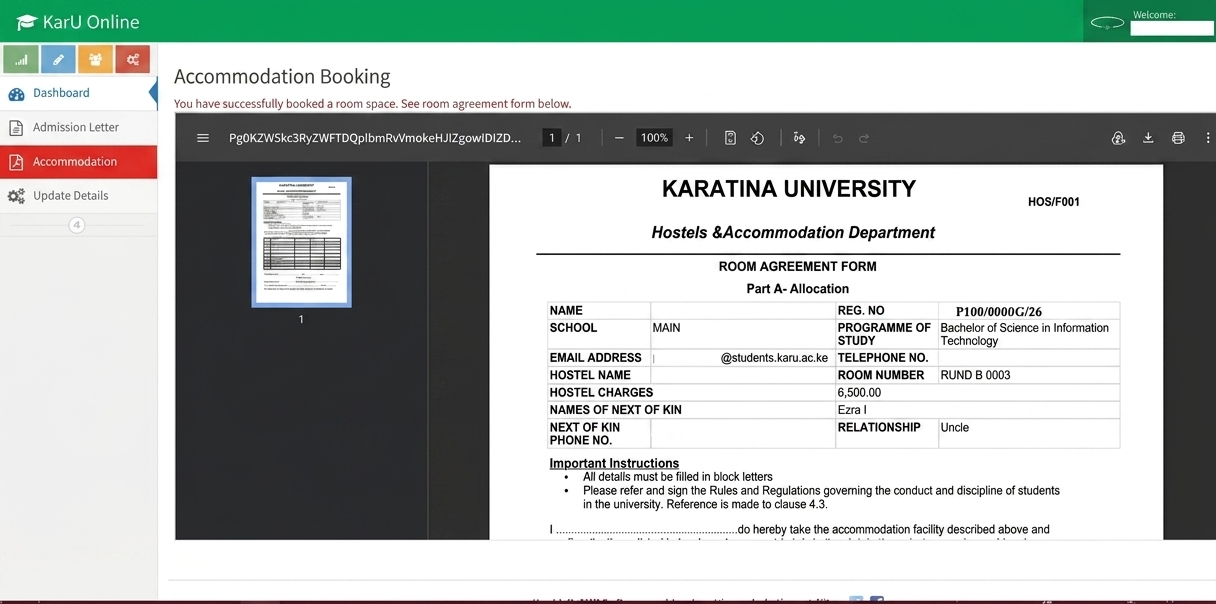
After successfully completing the payment. You will see a room agreement form which will also be sent to your KarU Email.

Every student is provided with a University email address. To retrieve your email click the button bellow and follow the instructions.
Get Your EmailMonday, 17th August 2026
Joining instructions will be communicated in due course through official university communication channels.
Regular updates will be posted on the University website and through your University email.