This guide is designed to enable you undertake online registration and download your admission letter. Carefully read through the instructions and click “Admissions Portal” button at the bottom of this page to login.
NB: You must read all the instructions for the “Admissions Portal” button to be active.
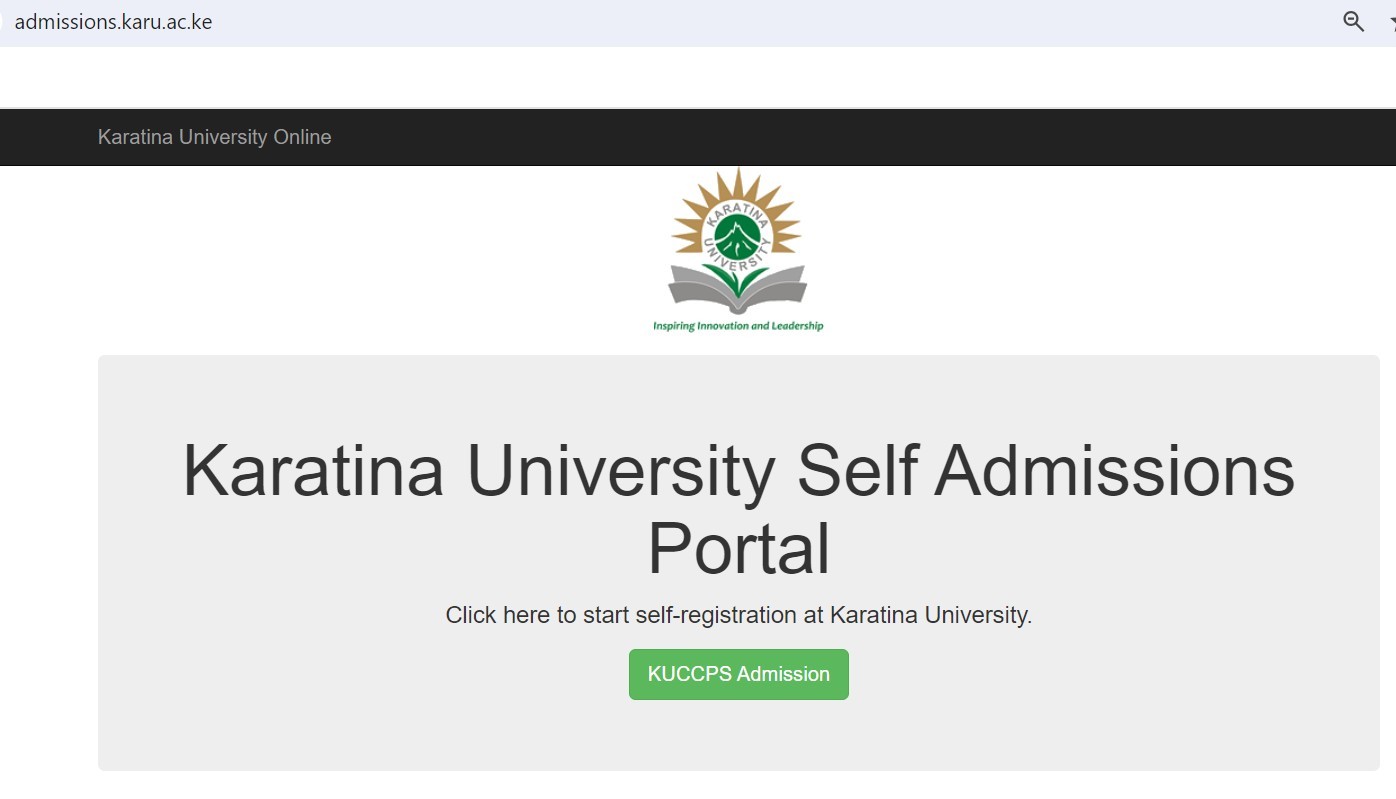
Access the admissions portal by using the link at the bottom of this page. This link is also accessible on the website or via https://admissions.karu.ac.ke. You will be directed to the page below

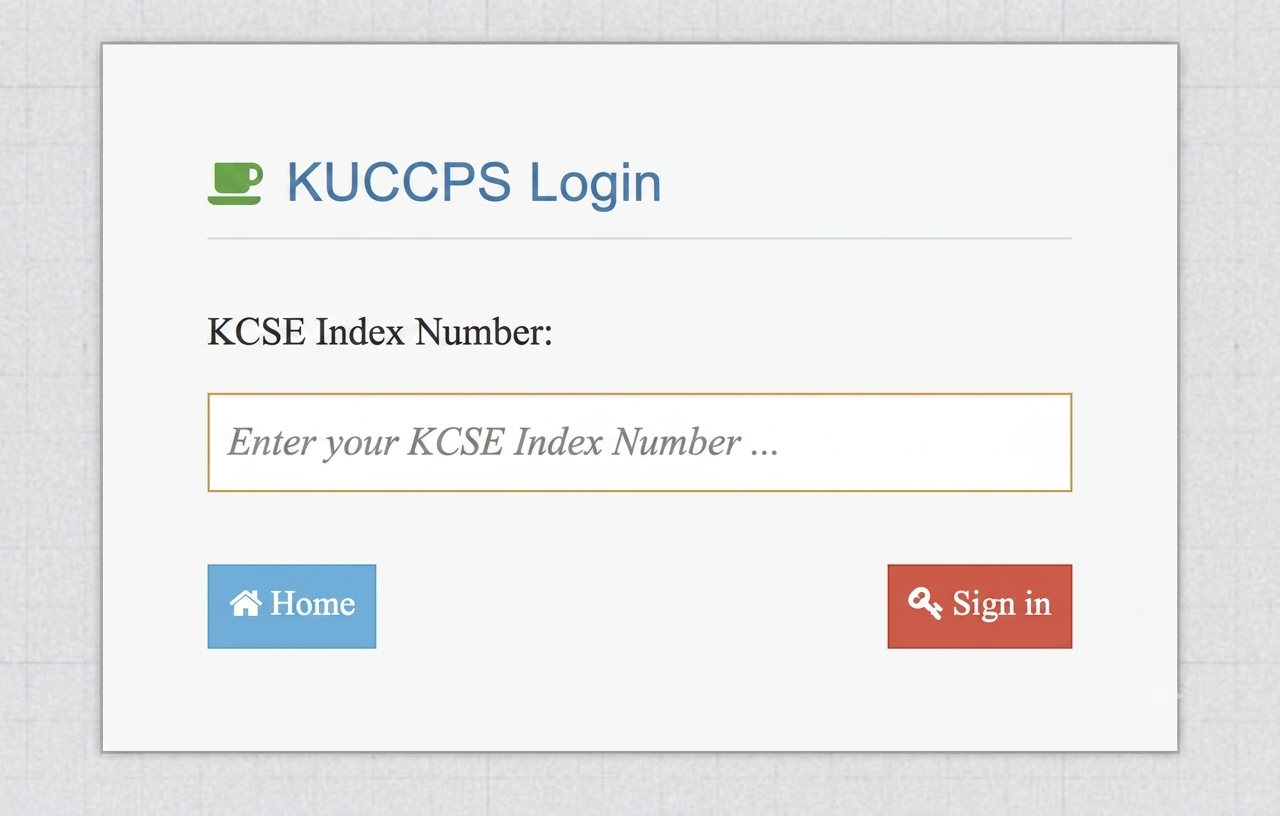
Enter your KCSE Index number/year Eg. 12345678910/2025 and click Sign in.

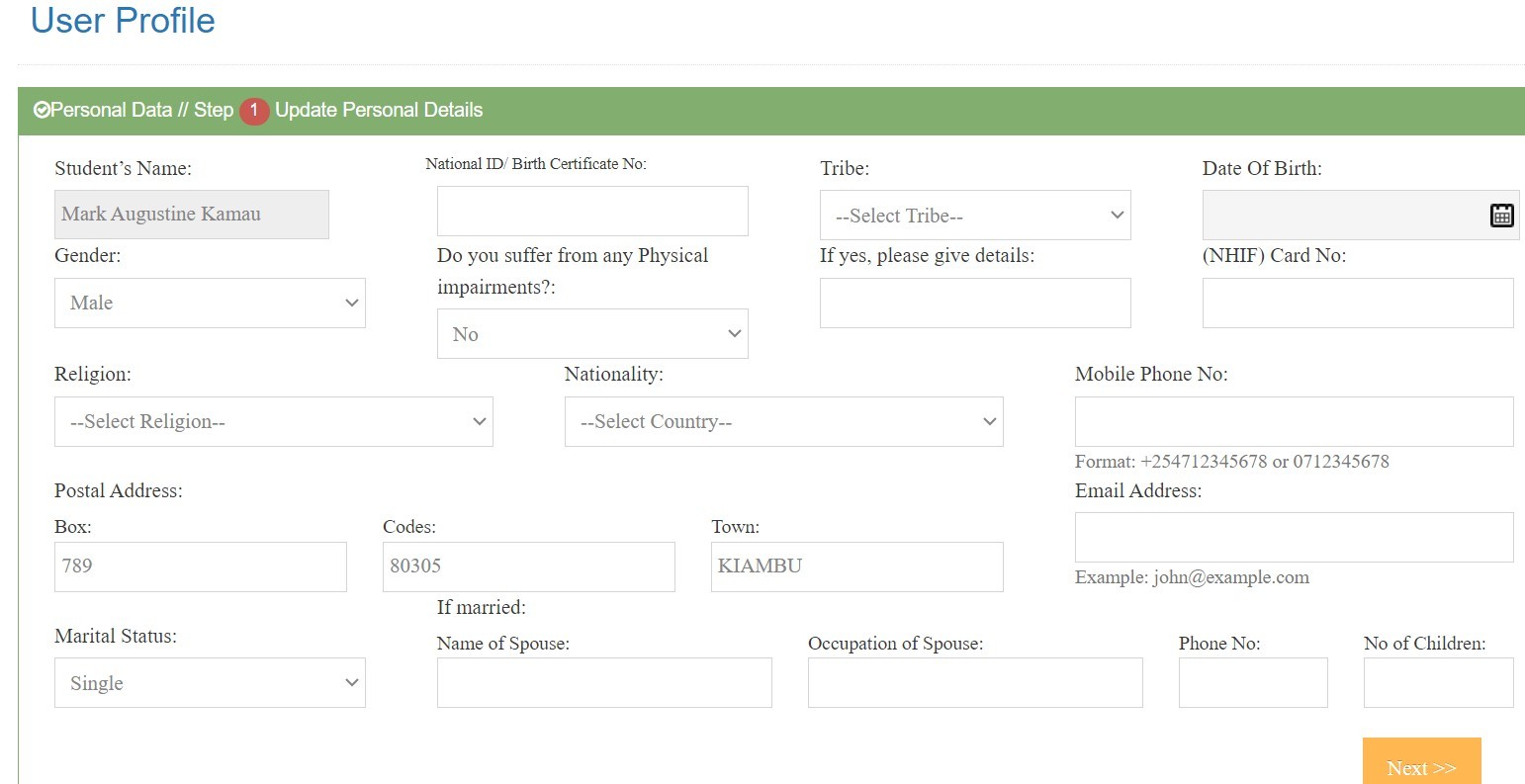
On the form that appears on the dashboard of the admissions portal, fill in your personal details accurately.
The form appears as shown in the figure below. All fields in this section are mandatory.

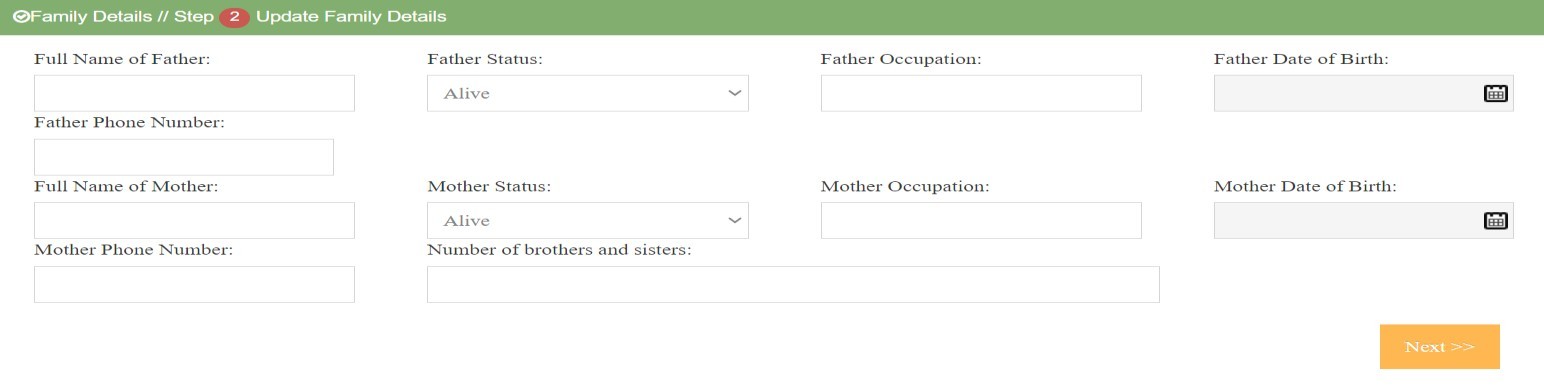
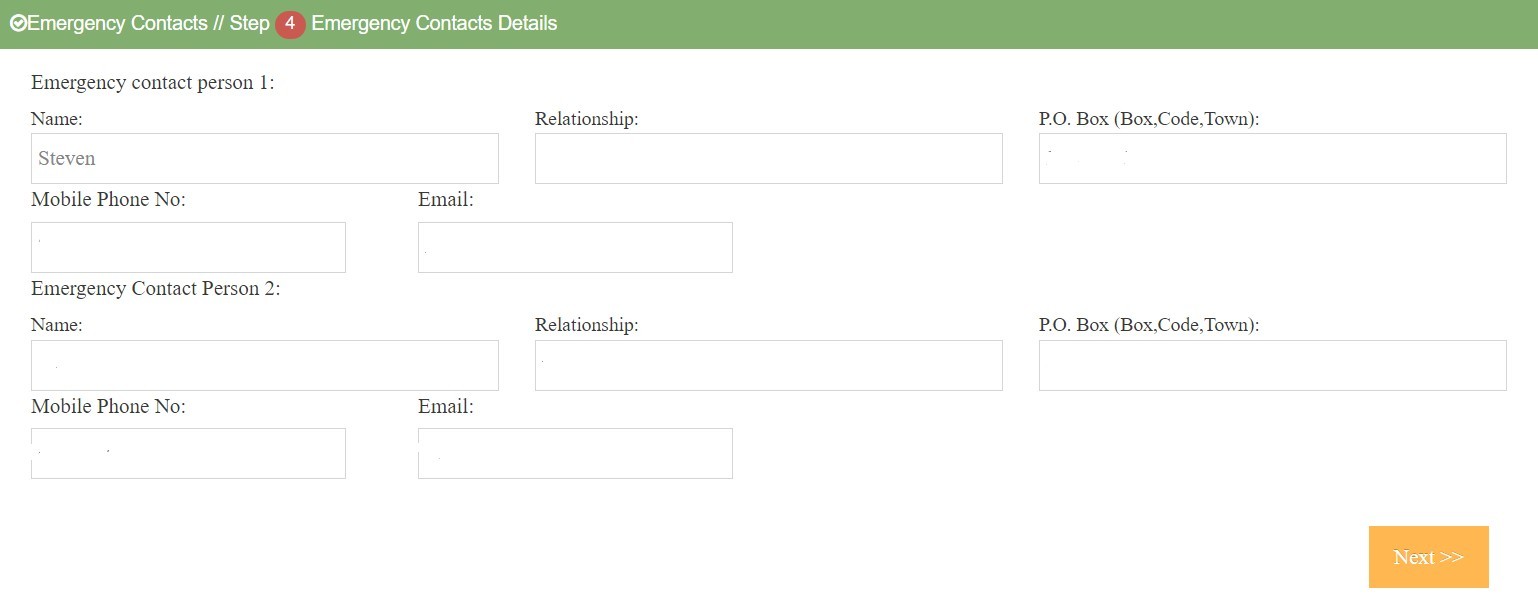
In this section, you will be required to fill in the family details.

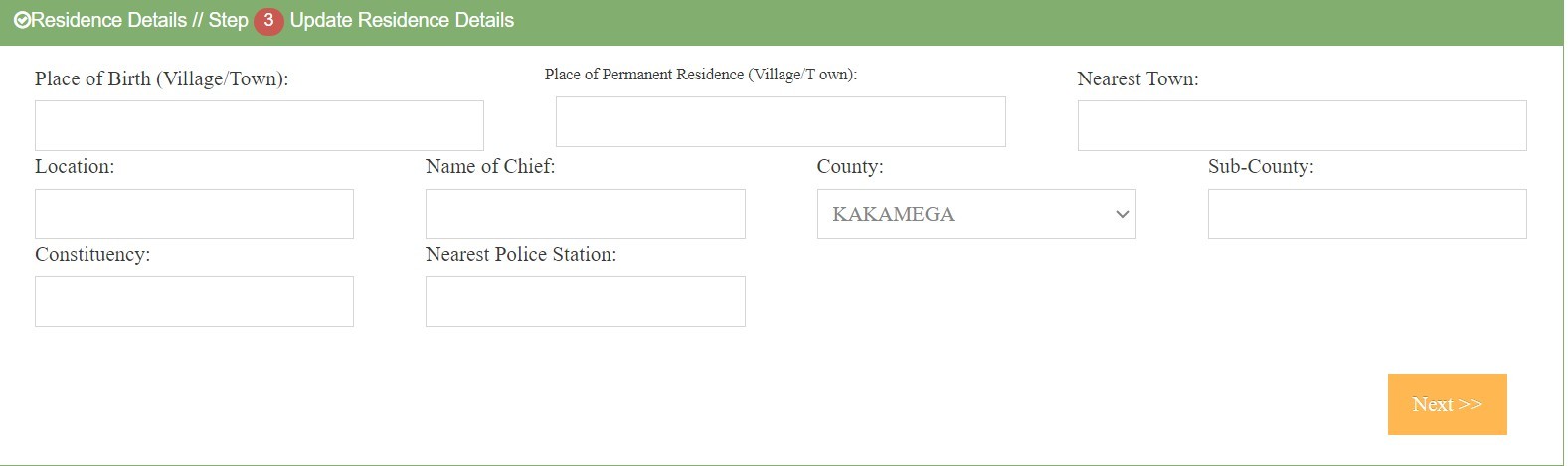
In this section provide the residence details.

In this section provide the residence details.

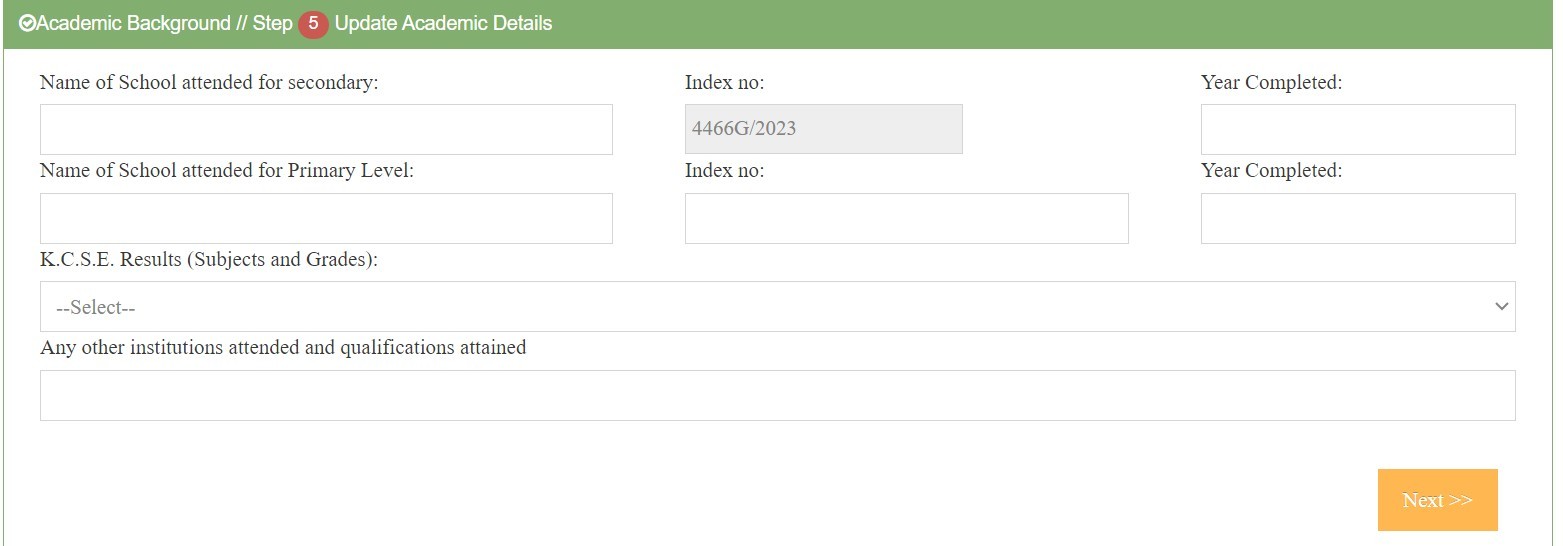
Provide the name of secondary school attended and year you completed KCSE. (Mandatory)
Provide the name of primary school attended and year you completed KCPE. (Mandatory)
Provide your KCSE Mean Grade(Mandatory)
Provide any other institution(s) attended and qualifications attained(Optional)

Mandatory documents to be uploaded are as follows:
Download and fill the above forms (3, 4, 5 and 6).
Scan and upload all the documents (1, 2, 3, 4, 5, 6 and 7) in that order.
ii) Click on Choose File to choose your scanned document from your device(laptop, computer, phone, tablet). Ensure the document is in the right format as indicated above,
iii) Click on Upload to upload your document
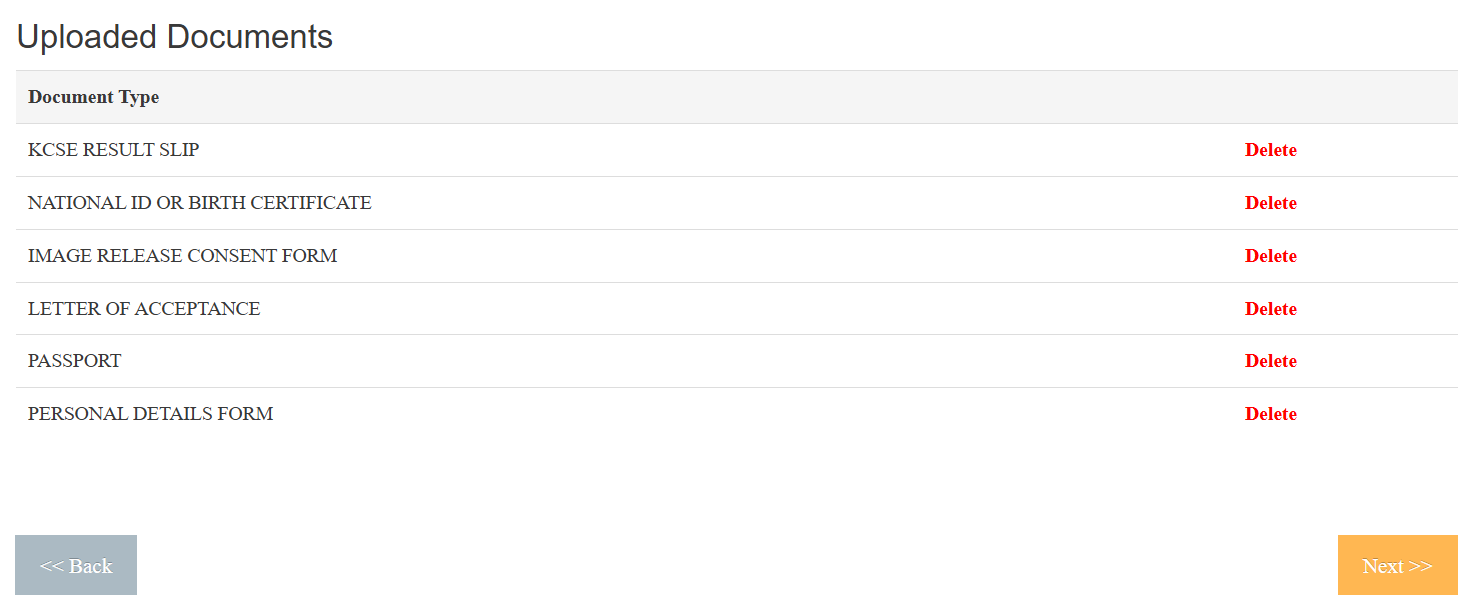
iv) Uploaded documents will appear at the bottom

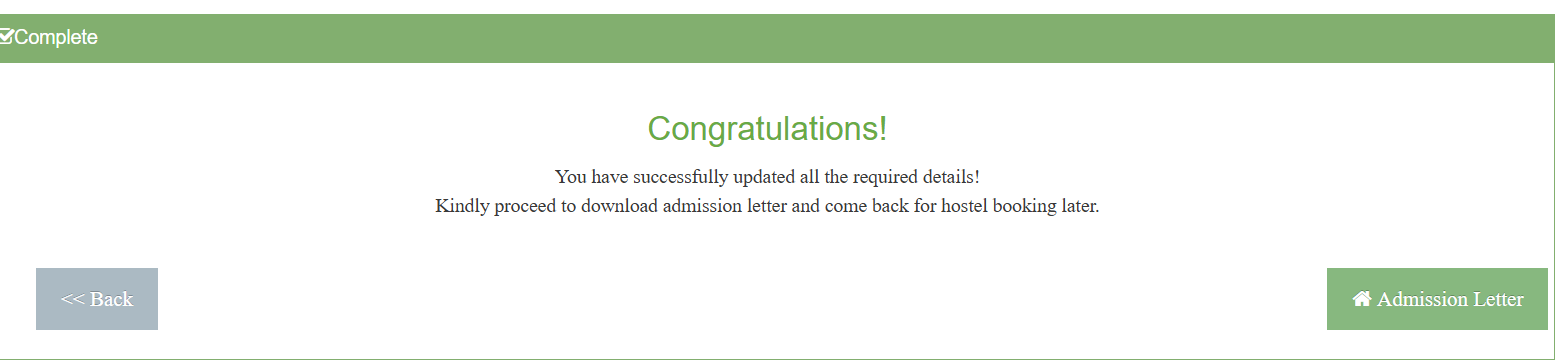
Download your offer letter as shown below

As a Government-placed student, you are eligible to apply for a Government scholarship, loan, and bursary to support your university education, depending on your level of need. To benefit from Government funding, you MUST submit an application for consideration through the official scholarship and loan application portal at www.hef.co.ke.
Every student is provided with a University email address. To retrieve your email visit https://email.karu.ac.ke and follow the instructions.
For more updates keep checking the University website https://www.karu.ac.ke
Monday, 17th August 2026
Joining instructions will be communicated in due course through official university communication channels.
Regular updates will be posted on the University website and through your University email.